

Boys Cinematic Dark Theme Red Colour Name Photo Editing Using ChatGPT AI Prompt – Free 8K Poster Creation
Introduction
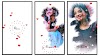
Photo editing has become one of the most popular creative trends on social media, especially among boys who love stylish, cinematic and professional-looking photo posters. Nowadays, creating an attractive photo poster does not require advanced Photoshop skills or expensive editing software. With the help of ChatGPT AI, anyone can create stunning cinematic photo posters using simple text prompts. One of the latest creative ideas is the Boys Cinematic Dark Theme Red Colour Name Title Photo Poster, which combines a dark background, powerful red lighting effects, stylish typography and a professional portrait look.
If you are interested in creating unique name photo posters, this cinematic dark theme design is a great choice. The combination of black and deep red colours gives your photograph a bold, dramatic and premium appearance. You can add your own name in large 3D red typography, glowing light effects, smoke effects and cinematic backgrounds to make the final poster more attractive. This type of photo editing is perfect for Instagram posts, WhatsApp status, Facebook profiles, YouTube thumbnails and personal photo collections.

The best part is that you can create this design using ChatGPT AI with a well-written image generation prompt. Simply upload your favourite boys' photo, copy the prompt given below and use it to generate a creative cinematic poster. You do not need professional editing knowledge because AI can help you create the background, lighting, text effects and overall poster design.
In this article, you will find a detailed ChatGPT AI prompt for creating a Boys Cinematic Dark Theme Red Colour Name Title Photo Poster. Follow the instructions and customise the name according to your preference.
😎 How to Create a Boys Cinematic Red Theme Photo Poster Using ChatGPT AI
Follow these simple steps to create your own stylish name photo poster.
- Step 1: Open ChatGPT on your mobile phone or computer.
- Step 2: Select the image generation option.
- Step 3: Upload your favourite boys' photo from your gallery.
- Step 4: Copy the Boys Cinematic Dark Theme Red Colour Name Photo Poster prompt given above.
- Step 5: Replace [YOUR NAME] with your preferred name.
- Step 6: Submit the prompt and allow ChatGPT AI to generate the image.
- Step 7: Check the generated poster and make any necessary changes using another prompt.
- Step 8: Save the final image and share it on your favourite social media platforms.
🌿 Special Features of This Cinematic Dark Theme Poster
This red and black cinematic photo poster has several attractive design elements that make it different from ordinary photo editing styles.
- Dark Black Background: Creates a powerful and premium cinematic atmosphere.
- Glowing Red Lighting: Adds an attractive neon effect around the subject.
- 3D Name Typography: Displays your name in a large, bold and stylish format.
- Red Smoke Effects: Gives the poster a dramatic movie-style appearance.
- Cinematic Colour Grading: Combines black shadows and deep red highlights.
- Professional Portrait Look: Makes the uploaded photograph look like a movie poster.
- Ultra-HD Quality: Produces detailed and sharp visual results.
- Personalised Name Design: Allows you to customise the poster with your own name.
ChatGPT Ai Prompt 👇👇
Create an ultra-realistic, premium-quality 8K cinematic Happy Birthday poster in a vertical 3:5 aspect ratio, featuring a handsome young Indian boy standing confidently in the centre of the composition with a natural smile, preserving the exact facial identity and facial features of the uploaded reference photo. He is wearing a stylish oversized white full-sleeve linen shirt with sleeves casually rolled up, paired with loose-fit dark blue baggy denim jeans, white sneakers and a black wristwatch. His hairstyle is thick, naturally curly and slightly messy. Use a clean, solid black background with dramatic professional studio lighting and subtle floor reflections. Behind the boy, add enormous bold, condensed, uppercase red typography reading "LOVER BOY SURYA", arranged in two lines, with the subject slightly overlapping the letters to create a premium 3D poster effect. Below the main heading, add elegant white handwritten cursive typography reading "it's my style" on the left side and "young brother" on the right side, with a thin red underline beneath the words "King". Keep the boy's complete body visible from head to toe, with a relaxed standing pose and natural body proportions. Use high-contrast lighting, realistic skin texture, sharp facial details, cinematic shadows, professional fashion photography, premium birthday poster design, perfectly balanced composition, and ultra-detailed 8K resolution. Do not alter the person's facial identity. Ensure all text is correctly spelled and clearly readable, no happy birthday text. 3:5 vartical ratio, place the entire subject exactly in the visual center of the canvas centered both horizontally and vertically, around the 50% x 50% position. Do not place the subject near the bottom, lower third, or lower half. Keep equal negative space above and below the subject. Keep the subject relatively small, occupying only about 70-80% of the overall canvas, while maintaining a perfectly balanced centered composition.
✅ Final Conclusion
Creating a Boys Cinematic Dark Theme Red Colour Name Title Photo Poster with ChatGPT AI is a simple and creative way to give your ordinary photograph a professional appearance. The combination of dark black backgrounds, glowing red lighting, stylish 3D name typography and cinematic effects makes this design perfect for boys who love attractive photo editing styles. You can use the above prompt to create your own personalised name poster without spending hours editing in Photoshop or other photo editing applications. Just upload your photograph, copy the prompt, replace the name and generate your favourite cinematic design. Try different outfits, poses and name styles to create more unique posters and share your creativity with friends on social media.




0 Comments