

Boys Cinematic Name Title Photo Editing ChatGPT AI Prompt – Create 3D HD Posters
Introduction
Are you looking for a stylish and attractive photo editing idea for boys? If you love cinematic photo editing, creative name title designs, and professional poster effects, this new ChatGPT AI Prompt is a great choice. Nowadays, AI photo editing is becoming increasingly popular among social media users. With the help of ChatGPT AI, you can transform an ordinary boy's photo into a stunning cinematic name title photo poster with eye-catching backgrounds, stylish typography, dramatic lighting, and professional photo effects.
A cinematic name title poster gives your photograph a completely different appearance. Instead of using a simple photo, you can create a powerful poster featuring your name in large 3D cinematic typography. You can also customise the background, colour combinations, lighting effects, outfit style, and overall poster design according to your preferences.

The best part is that you do not need professional graphic designing skills or expensive editing software to create this type of poster. Simply upload your favourite photo to ChatGPT, copy the AI image generation prompt given below, replace the sample name with your own name, and generate your creative poster.
In this article, I will share a detailed Boys Cinematic Name Title Photo Poster Create ChatGPT AI Prompt. You can use this prompt to create a high-quality cinematic poster for Instagram, WhatsApp DP, Facebook, YouTube thumbnails, and other social media platforms.
🌿 Boys Cinematic Name Title Photo Poster Features
Here are some interesting features of this AI photo editing concept:
- Cinematic Name Title: Create a large, stylish 3D name title with professional typography.
- Face Identity Preservation: Maintain the original face, facial structure, hairstyle, and natural skin tone from the uploaded reference photo.
- Professional Background: Add a dramatic cinematic background with attractive visual elements.
- 3D Text Effects: Generate realistic metallic, glowing, and embossed name typography.
- Cinematic Lighting: Add professional studio lighting, dramatic shadows, and beautiful highlights.
- Ultra-HD Quality: Create a highly detailed, realistic-looking poster.
- Custom Name Editing: Easily replace the sample name with your own name.
- Social Media Ready: Use the generated poster for Instagram, WhatsApp, Facebook, and YouTube.
😎 Boys Cinematic Name Title Photo Poster ChatGPT AI Prompt
To create your own cinematic name title photo poster, follow the simple steps below.
Step 1: Open ChatGPT on your mobile phone.
Step 2: Upload your favourite boy's photo.
Step 3: Copy the complete AI image generation prompt given below.
Step 4: Replace YOUR NAME with your preferred name.
Step 5: Generate your cinematic name title photo poster.
👉 Tips for Getting Better AI Photo Editing Results
For the best output, keep these points in mind:
- Upload a clear, high-resolution photograph.
- Choose a photo where your face is clearly visible.
- Use your preferred name in the main title.
- Try different colour combinations such as black and gold, red and black, blue and silver, or white and gold.
- Avoid uploading blurry or heavily edited photographs.
- If the generated face looks different, regenerate the image with stronger instructions to preserve the reference photo's facial identity.
- Use a 4:5 aspect ratio for Instagram portrait posters.
ChatGPT Ai Prompt 👇👇
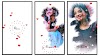
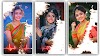
Create an ultra-realistic, premium-quality 8K cinematic Happy Birthday photo poster in a landscape 16:9 aspect ratio, featuring a stylish young Indian man standing confidently in the centre of the composition, preserving the exact facial identity, facial structure, hairstyle, skin tone and natural appearance of the uploaded reference photo. He is wearing a fashionable bright red full-sleeve casual shirt with the top buttons open, paired with a traditional white Indian dhoti, black stylish sunglasses and a simple bracelet, giving him a cool, confident and elegant appearance. Position the man in front of an oversized, bold, dark chocolate-brown serif typography displaying the words "SURYA", with the word HERO in elegant handwritten cursive lettering above it. Use a beautiful warm ivory cream textured paper background with a subtle vintage aesthetic. Decorate the poster with realistic red lipstick kiss marks, delicate red heart-shaped elements, soft beige and cream flowers, small floral details and vintage newspaper collage elements around the corners. Add beautiful natural shadows, soft studio lighting, premium editorial photography, realistic fabric textures, sharp facial details and professional graphic design composition. Keep the birthday typography large, stylish and clearly visible behind the subject without covering his face. Maintain a sophisticated combination of cream, dark brown, red and beige colours. The final result should look like a luxurious, professionally designed birthday magazine cover with cinematic realism, elegant typography and exceptional 8K detail. No Happy Birthday Text, landscape 16:9 aspect ratio, place the entire subject exactly in the visual center of the canvas centered both horizontally and vertically, around the 50% x 50% position. Do not place the subject near the bottom, lower third, or lower half. Keep equal negative space above and below the subject. Keep the subject relatively small, occupying only about 60-70% of the overall canvas, while maintaining a perfectly balanced centered composition
✅ Final Conclusion
Creating a Boys Cinematic Name Title Photo Poster with ChatGPT AI is an interesting way to give your ordinary photograph a professional and stylish appearance. You can create personalised name title posters with 3D text, cinematic backgrounds, attractive lighting, and realistic photo effects using a simple AI prompt. Try the above ChatGPT AI Prompt with your favourite photograph and create your own unique cinematic name poster. Share your creative poster with your friends on Instagram, WhatsApp, and Facebook. Stay connected for more amazing ChatGPT AI Prompts, trending photo editing ideas, and creative AI image generation tutorials.




0 Comments