

ChatGPT AI Photo Editing Prompts for Boys – Create 8K Cinematic Dark Theme Posters
Introduction
Nowadays, cinematic photo editing is becoming very popular on social media platforms like Instagram, Facebook, and WhatsApp. Many boys love creating stylish and attractive photo posters with dark backgrounds, cinematic lighting effects, glowing highlights, and professional colour grading. These types of photo edits give ordinary pictures a completely different look and make them appear like movie posters. If you are also interested in creating a stylish boys cinematic dark theme photo poster, now you can easily do it with the help of ChatGPT AI.
With the help of ChatGPT AI prompts, you can transform your normal photographs into professional-looking cinematic posters without spending hours editing them in complicated photo editing applications. You simply need to upload your favourite photo, enter the correct AI image editing prompt, and generate your desired cinematic dark theme poster. You can create different styles with black backgrounds, dramatic shadows, smoke effects, red and blue lighting, glowing particles, and premium cinematic colour tones.

The best thing about this editing method is that you don't need advanced photo editing skills or professional graphic design knowledge. Even beginners can create attractive boys' cinematic photo posters using simple AI prompts. You can use these AI-generated posters for Instagram profile pictures, WhatsApp status, Facebook posts, YouTube thumbnails, and other social media platforms.
In this article, we are sharing a powerful Boys Cinematic Dark Theme Photo Poster ChatGPT AI Prompt that helps you create an ultra-realistic, stylish, and high-quality cinematic poster using your own photograph.
🔥 Features of Boys Cinematic Dark Theme Photo Editing
Here are some attractive features you can get using this ChatGPT AI prompt:
- Dark Cinematic Background: Create a stylish black background with a professional movie-poster appearance.
- Dramatic Lighting Effects: Add beautiful red, blue, and white lighting effects.
- Smoke Effects: Create realistic atmospheric smoke around the subject.
- Professional Colour Grading: Apply premium cinematic colour tones for a stunning look.
- Face Identity Protection: Maintain the original face and natural appearance from your uploaded photograph.
- Ultra-HD Quality: Generate detailed and realistic poster-style images.
- Stylish Outfit: Give your photo a fashionable and modern appearance.
- Professional DSLR Look: Create a high-quality photography effect with realistic details.
😎 How to Create Boys Cinematic Dark Theme Photo Poster Using ChatGPT AI
Follow these simple steps to create your own cinematic dark theme photo poster.
1. First, open the ChatGPT application on your mobile phone.
2. Select the image creation feature.
3. Upload your favourite boys' photograph.
4. Copy the cinematic dark theme AI prompt provided above.
5. Paste the prompt into the ChatGPT message box.
6. Generate your AI photo poster.
7. Wait for the image generation process to complete.
8. Save your favourite generated poster and share it on social media.
🌿 Best Uses of Cinematic Dark Theme AI Photos
You can use these stylish cinematic posters in different ways:
- Instagram profile pictures and posts.
- WhatsApp DP and status updates.
- Facebook profile photos.
- YouTube thumbnails and channel posts.
- Stylish boys' attitude photo posters.
- Birthday and special occasion posters.
- Social media reels and video editing projects.
ChtGPT Ai Prompt 👇👇
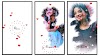
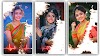
Create an ultra-realistic, premium-quality 8K cinematic name photo poster in a vertical 4:6 aspect ratio, featuring a handsome young Indian man standing confidently in the centre of the composition, wearing a stylish black high-neck sweater with a sophisticated, elegant look. Preserve the exact facial identity, facial structure, hairstyle, skin tone and natural appearance of the uploaded reference photo. Give him thick, voluminous, textured black hair styled upwards, a neatly trimmed beard and moustache, and stylish black sunglasses. Position one hand near the sunglasses as if adjusting them, creating a confident and stylish attitude. Add a large glowing golden-orange circular halo behind his head, creating a dramatic sunset-inspired backlight effect. Use a deep black textured background with rich golden-orange lighting, cinematic shadows, warm highlights and subtle atmospheric effects. At the bottom of the poster, display the name "JEEVAN" in extremely large, bold, dark uppercase typography, with an elegant golden handwritten signature-style version of the same name overlapping the main text. Make the name lettering stylish, luxurious and visually striking. Maintain a perfectly balanced composition, realistic skin details, sharp facial focus, professional portrait photography, dramatic studio lighting, high contrast, premium colour grading and a luxurious black-and-gold aesthetic. The final result should look like a professional cinematic personal branding poster with exceptional detail and a visually powerful appearance. 4:6 vartical ratio, place the entire subject exactly in the visual center of the canvas centered both horizontally and vertically, around the 50% x 50% position. Do not place the subject near the bottom, lower third, or lower half. Keep equal negative space above and below the subject. Keep the subject relatively small, occupying only about 60-70% of the overall canvas, while maintaining a perfectly balanced centered composition
✅ Final Conclusion
Creating a professional boys cinematic dark theme photo poster is now easier with ChatGPT AI. You don't need expensive editing software or advanced photo editing skills to create attractive cinematic pictures. Simply upload your photograph, copy the AI prompt, and generate a stylish poster with dark backgrounds, dramatic lighting, smoke effects, and professional colour grading.




0 Comments