

Girls Premium Green Theme Photo Editing with ChatGPT AI Prompt – Create Ultra HD 8K Portrait Posters
Introduction
Photo editing has become one of the most popular creative trends on social media. Nowadays, many girls love creating beautiful, stylish, and professional-looking photo posters to share on Instagram, WhatsApp, Facebook, and other social media platforms. Among different photo editing styles, premium green theme photo posters are becoming a beautiful choice because of their attractive colours, elegant appearance, and natural visual effects. A combination of dark green backgrounds, beautiful floral decorations, glowing light effects, and premium typography can make an ordinary photograph look like a professional poster.
If you are looking for a unique and attractive photo editing idea, this Girls Beautiful Premium Green Theme Photo Poster ChatGPT AI Prompt is a great option. Using ChatGPT AI image generation, you can create a stunning green theme poster with a beautiful background, cinematic lighting, premium decorations, and realistic photo quality. You don't need professional photo editing skills or complicated editing applications to try this creative design.

The best part is that you can use your own girl photo as a reference image and create a beautiful poster while maintaining the original facial appearance. Whether you want a stylish Instagram poster, a birthday poster, a profile picture design, or a beautiful social media photo, this premium green theme editing prompt can help you achieve an attractive result.
🔥 Girls Premium Green Theme Photo Poster Features
Here are some beautiful features you can include in your AI photo poster design:
- Premium Green Background: Create an elegant dark green and emerald green background.
- Realistic Face Details: Maintain the original face and natural facial features of the uploaded photo.
- Beautiful Dress Style: Add an elegant traditional or modern outfit that matches the green theme.
- Floral Decorations: Include beautiful green leaves, flowers, and premium decorative elements.
- Cinematic Lighting: Add professional studio lighting and soft glowing effects.
- Ultra HD Quality: Create a sharp, detailed, high-quality 8K-style portrait.
- Professional Poster Design: Use attractive layouts and premium graphic elements.
- Natural Skin Texture: Maintain realistic skin details without excessive beauty filters.
🌿 How to Create a Green Theme Photo Poster Using ChatGPT AI
Follow these simple steps to create your own beautiful AI photo poster:
1. Open the ChatGPT application on your mobile phone.
2. Select the image generation feature.
3. Upload your favourite girl photograph.
4. Copy the Girls Premium Green Theme Photo Poster AI Prompt given above.
5. Paste the prompt into ChatGPT.
6. Submit your request and wait for the AI-generated image.
7. Save the generated poster and share it on your favourite social media platforms.
ChatGPT Ai Prompt 👇👇
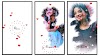
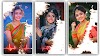
Recreate the uploaded reference image as closely as possible. Create a premium, ultra-realistic vertical 4:6 floral birthday / celebrity appreciation poster featuring the young woman same face upload image face match 100%, MAIN SUBJECT: A beautiful young Indian woman standing in the center-right of the composition, wearing an elegant dark emerald-green traditional silk saree with a luxurious antique-gold embroidered border. She wears a matching dark-green short-sleeve blouse, an elaborate traditional gold choker necklace, long gold necklace, beautiful gold earrings, and multiple dark-green glass bangles. Her black hair is neatly tied back with soft front strands framing her face. She has elegant makeup, expressive eyes and a gentle natural smile. Her body is slightly turned towards the left. folding arms, one hand touch ear, BACKGROUND AND PHOTO COLLAGE: Create a deep emerald-green botanical background with a luxurious dark-green atmosphere. Add a large, softly glowing circular golden halo behind the woman's head. On the left side, create a tall vertical strip containing three stacked black-and-white portrait photographs of the SAME woman in different elegant poses. The portraits should have soft vintage grayscale tones, slightly transparent blending and subtle dark overlays. Add additional large, faded monochrome portraits of the woman into the dark-green background on both sides. FLORAL DECORATION: Surround the composition with beautiful vibrant pink lotus flowers, lotus buds, large natural green lotus leaves and delicate botanical stems. Place large blooming pink lotus flowers on the upper-right, middle-right, lower-right and bottom-left areas. Include realistic flower petals, soft highlights and natural shadows. TYPOGRAPHY: At the bottom, write the name "Sandhya" in very large, elegant flowing golden-cream handwritten calligraphy. Underneath, add the exact subtitle: "My Sweet Heart 💚" Use refined serif typography in soft ivory-white. In the middle of the left portrait strip. LIGHTING AND COLOUR GRADING: Rich emerald-green and deep teal background, luxurious golden highlights, natural warm skin tones, vivid pink lotus flowers, elegant contrast, soft cinematic lighting and beautifully blended photographic layers. DESIGN STYLE: Professional Indian celebrity fan-edit poster, premium Photoshop photo manipulation, artistic floral composition, layered portrait collage, elegant traditional aesthetic, realistic photography, intricate details, sophisticated typography, ultra-sharp 4K quality. Vertical 4:6 aspect ratio, high resolution, perfectly balanced composition. IMPORTANT: Match the reference image as closely as possible. Keep the same overall layout, saree colour, jewelry, hand gestures, lotus placement, portrait strip, golden halo, background shades and typography placement. No extra people, no unwanted text, no happy birthday text, no distorted hands, no incorrect spelling, no watermark artifacts. 4:6 vartical ratio, place the entire subject exactly in the visual center of the canvas centered both horizontally and vertically, around the 50% x 50% position. Do not place the subject near the bottom, lower third, or lower half. Keep equal negative space above and below the subject. Keep the subject relatively small, occupying only about 70-80% of the overall canvas, while maintaining a perfectly balanced centered composition.
✅ Final Conclusion
Creating beautiful photo posters is now easier with the help of AI image generation tools. This Girls Beautiful Premium Green Theme Photo Poster ChatGPT AI Prompt helps you experiment with elegant emerald-green backgrounds, traditional outfits, beautiful floral decorations, and professional cinematic effects. You can use this prompt to create attractive social media posters without spending hours on manual photo editing. Try this creative green theme prompt with your favourite photograph and create your own premium-looking AI photo poster




0 Comments