

Girls Green Theme Cinematic Dual Photo Editing with ChatGPT AI Prompt – 8K Name Poster
Introduction
Photo editing is becoming more creative and popular with the help of Artificial Intelligence. Nowadays, you don't need professional photo editing skills or expensive software like Photoshop to create beautiful cinematic photo designs. With the help of ChatGPT AI, anyone can transform ordinary photos into stunning, professional-looking portraits within a few minutes.
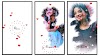
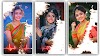
If you love stylish photo editing, this Girls Green Theme Cinematic Name Dual Photo design is a beautiful idea to try. This creative photo editing concept combines two portraits of the same girl with an attractive green cinematic background, stylish name typography, professional lighting effects and a premium photography look.

The special attraction of this design is its dual photo layout. One portrait can be displayed as the main photograph, while the second portrait appears as a supporting photo with an elegant cinematic composition. Beautiful green colour grading, glowing light effects, soft background elements and stylish text make the final design look like a professional photo album poster.
You can create this beautiful Girls Green Theme Cinematic Name Dual Photo using ChatGPT AI. Simply upload your favourite girl's photo, copy the below AI prompt and paste it into ChatGPT. The AI will help you create a creative cinematic design based on your uploaded reference photo.
Whether you want to create an attractive social media DP, Instagram post, WhatsApp status poster or a personalised photo album design, this green cinematic photo editing concept is worth trying.
😎 How to Create Girls Green Theme Cinematic Name Dual Photo Using ChatGPT AI
Follow these simple steps to create your own cinematic dual photo design.
1. Open the ChatGPT application on your mobile phone.
2. Select the image upload option.
3. Upload a clear photograph of the girl you want to edit.
4. Copy the Girls Green Theme Cinematic Name Dual Photo AI Prompt given above.
5. Paste the complete prompt into ChatGPT.
6. Replace [YOUR NAME] with your preferred name.
7. Ask ChatGPT to generate the cinematic photo design.
8. Wait for the AI image generation process to finish.
9. Save your favourite result and share it on Instagram, Facebook and WhatsApp.
👉 Features of Girls Green Theme Cinematic AI Photo Editing
Here are some attractive features of this AI photo editing concept:
- Dual Photo Design: Create two beautiful portraits of the same girl in one cinematic poster.
- Green Cinematic Background: Attractive emerald green and forest green background effects.
- Stylish Name Editing: Add your favourite name with beautiful 3D typography.
- 8K Photo Quality: Generate a detailed, high-resolution cinematic-style image.
- Professional Lighting: Enjoy realistic studio lighting and glowing green effects.
- Natural Face Details: Preserve the original facial appearance as closely as possible.
- Social Media Ready: Create attractive designs for Instagram, Facebook and WhatsApp.
- Easy AI Editing: No advanced Photoshop knowledge is required.
🌿 Tips for Getting the Best AI Photo Editing Results
For the best output, always upload a clear and high-quality photograph. Front-facing portraits with good lighting generally help AI understand facial details better.
You can also experiment with different green outfits, background styles, portrait positions and name fonts to create unique designs. If the generated image changes the original face or displays the name incorrectly, try regenerating it with clearer instructions.
ChatGPT Ai Prompt 👇👇
Create an ultra-realistic, breathtaking cinematic double-exposure portrait poster of a beautiful young Indian woman using the uploaded reference image, preserving her original face and exact facial identity with 100% accuracy, including her natural facial features, expressive eyes, nose, lips and beautiful smile. Create a large close-up portrait of the woman on the upper-right side, featuring long, voluminous, beautifully styled black hair, a small black bindi, elegant traditional golden jhumka earrings and a luxurious matching gold necklace. Give her a gentle, charming smile while looking slightly towards the left. On the left side, create a second full-body portrait of the same woman wearing a gorgeous lime-green traditional Indian silk saree with delicate golden embroidery, a matching green blouse and beautiful traditional jewellery, black nail polish on hands and feets, white strappy sandals. Show her gracefully walking through a beautiful garden while holding her flowing saree pallu, with the fabric naturally moving in the gentle breeze. Design the background as a magical royal garden filled with lush green trees, colourful flowering plants, beautiful stone pathways, vintage decorative garden lamps, flying birds and a dreamy green-yellow sky illuminated by soft golden sunlight. Blend both portraits seamlessly using a professional cinematic double-exposure effect, creating a beautiful artistic composition with realistic depth, soft lighting and natural transitions. Add the name "Anusha" in large, elegant golden handwritten calligraphy at the bottom-right corner, decorated with a small golden heart symbol and a subtle glowing effect. Use professional DSLR photography aesthetics, an 85mm portrait lens, f/1.8 aperture, cinematic depth of field, ultra-detailed facial features, realistic skin texture, beautiful saree fabric details, HDR lighting and premium cinematic colour grading. Create an exceptionally beautiful, high-end Indian traditional fashion photography poster in vertical 4:6 ratio, with the oversized close-up portrait on the upper right and the full-body portrait on the left. Ensure perfect face preservation, realistic body proportions, natural hands, beautiful composition, 8K ultra-realistic quality, no extra people, no distorted facial features and no watermark. 4:6 vartical ratio, place the entire subject exactly in the visual center of the canvas centered both horizontally and vertically, around the 50% x 50% position. Do not place the subject near the bottom, lower third, or lower half. Keep equal negative space above and below the subject. Keep the subject relatively small, occupying only about 60-70% of the overall canvas, while maintaining a perfectly balanced centered composition
✅ Final Conclusion
Girls Green Theme Cinematic Name Dual Photo is a beautiful AI photo editing concept for anyone who loves creative portraits and stylish cinematic designs. With ChatGPT AI, you can experiment with dual photo layouts, attractive green backgrounds, professional lighting and personalised name typography without using complicated editing software. Simply upload your favourite photograph, copy the prompt and create your own beautiful cinematic poster. Try this creative green theme design and share your favourite result with your friends on social media.




0 Comments